Ride-Ins
How Ride-Ins work
A Ride-In is a bike meet you can post from your phone: a destination plus a time window. Riders make their own way there and arrive any time inside the window, with no route to follow and no set start time. Joining is free, and saying you're in never shares your details with anyone.
What a Ride-In is
If you've been to a bike meet, you already know how a Ride-In works: a spot, a time, and riders who show up. "Coffee at the lakeside cafe, 8 to 10 Saturday" is a Ride-In. Some riders come straight from home, some take the long way, and they meet up when they get there.
What a Ride-In adds is the part a bike meet usually lacks. Instead of a flyer on a shop counter or a post that scrolls away, riders nearby see it in the app, anyone can open its link without the app, and whoever posted it can see how many riders are in. And instead of one start time, it has a window, so nobody is late.
It isn't a scheduled ride, either. A scheduled ride has a meet point, a start time, and a route everyone follows. A Ride-In drops all of that except the place.
For riders
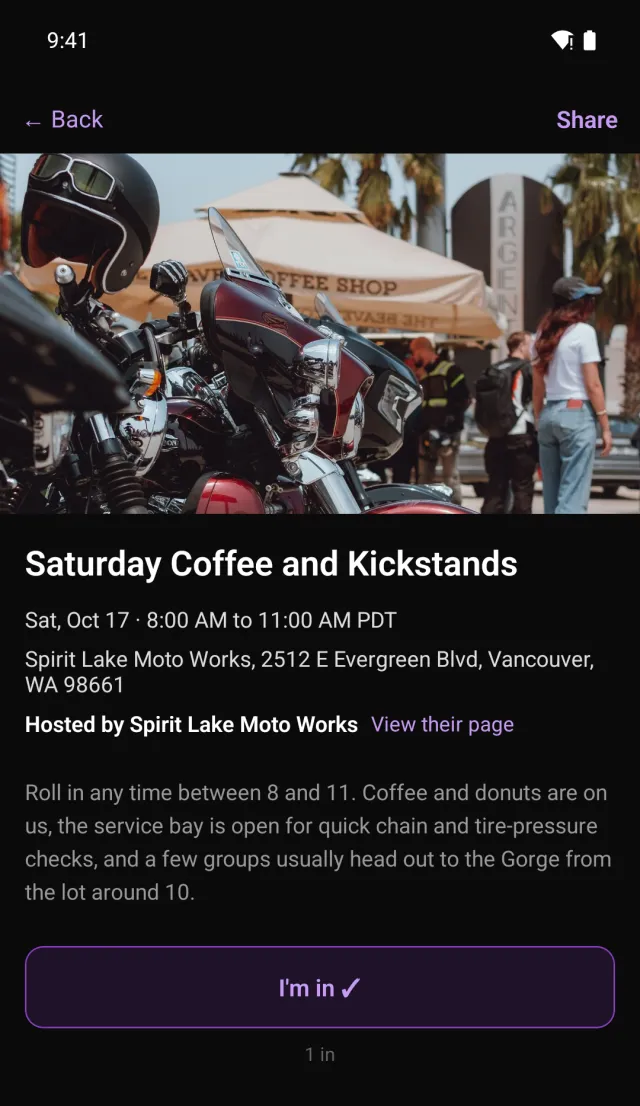
Ride-Ins near you show up in the app alongside rides, the same way: by Region. Open one and tap I'm in. That's it, and it's free for every rider.
"I'm in" is anonymous. It adds one to a count. The Ride-In's web page shows how many riders are in, never who they are.
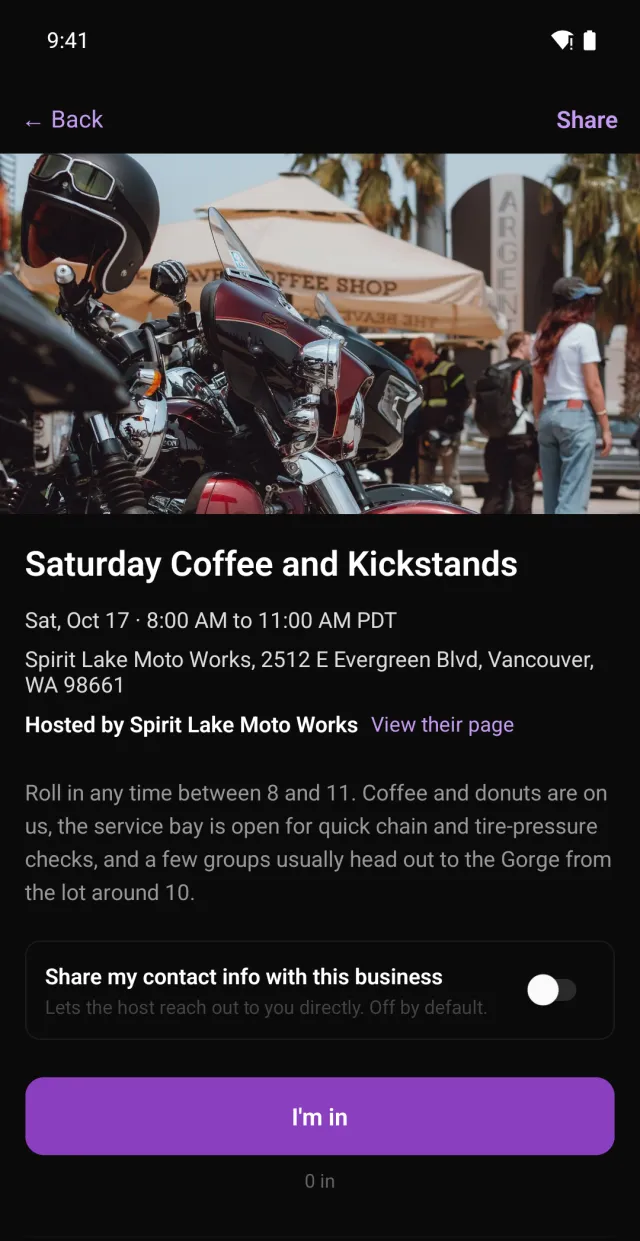
Your details reach a business only if you choose. On a Ride-In a business hosts, the app has a Share my contact info with this business switch. It's off by default. Switch it on and the business gets your name and email so it can follow up about that Ride-In. On the business's web page you can also leave your email, tick the box agreeing to share it, and submit, with no account needed. Those are the only two ways a business ever gets your contact details. The privacy policy has the rest.
Creating a Ride-In
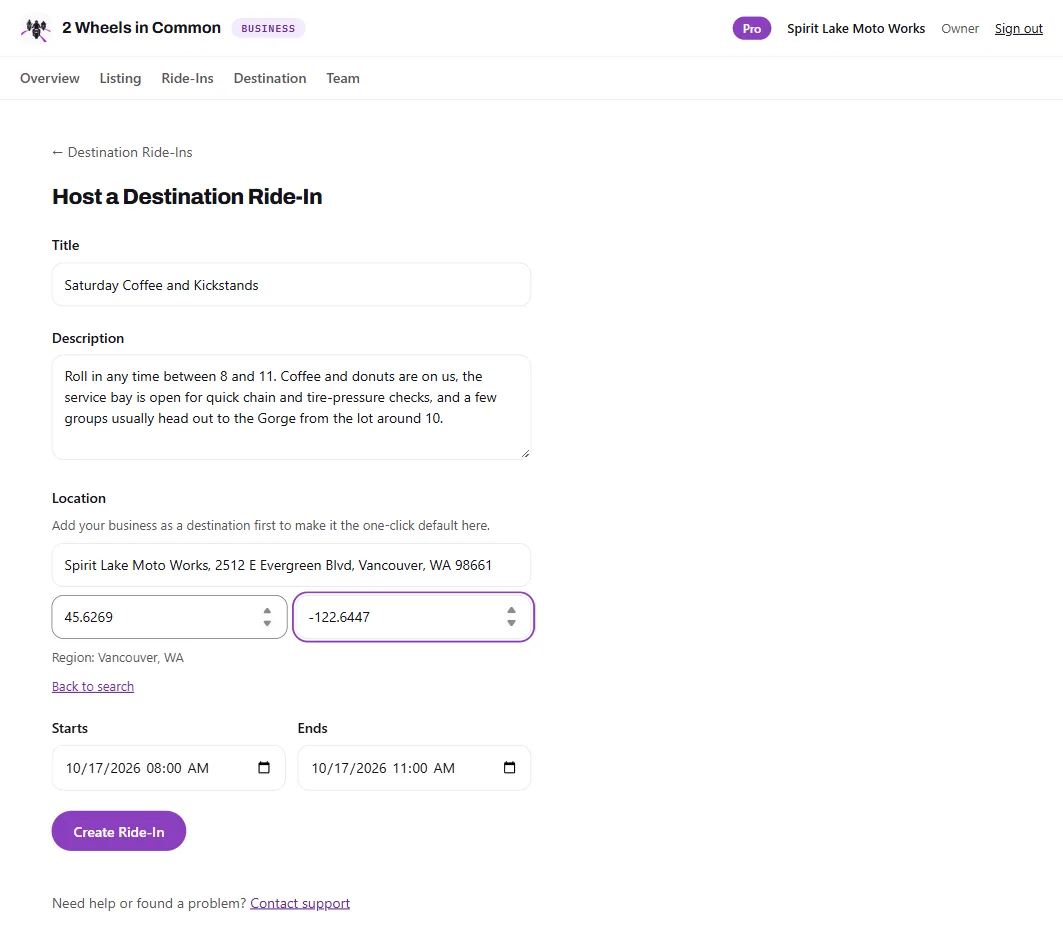
Creating a Ride-In takes Pro. A rider can create one per calendar month. Pick a destination from the list or drop a meet point, set the window, and share the link.
For a Group, an admin creates the Ride-In on the Group's behalf, and it counts as that admin's Ride-In for the month. "Everyone meet at the cafe for coffee" works without the cafe being involved at all.
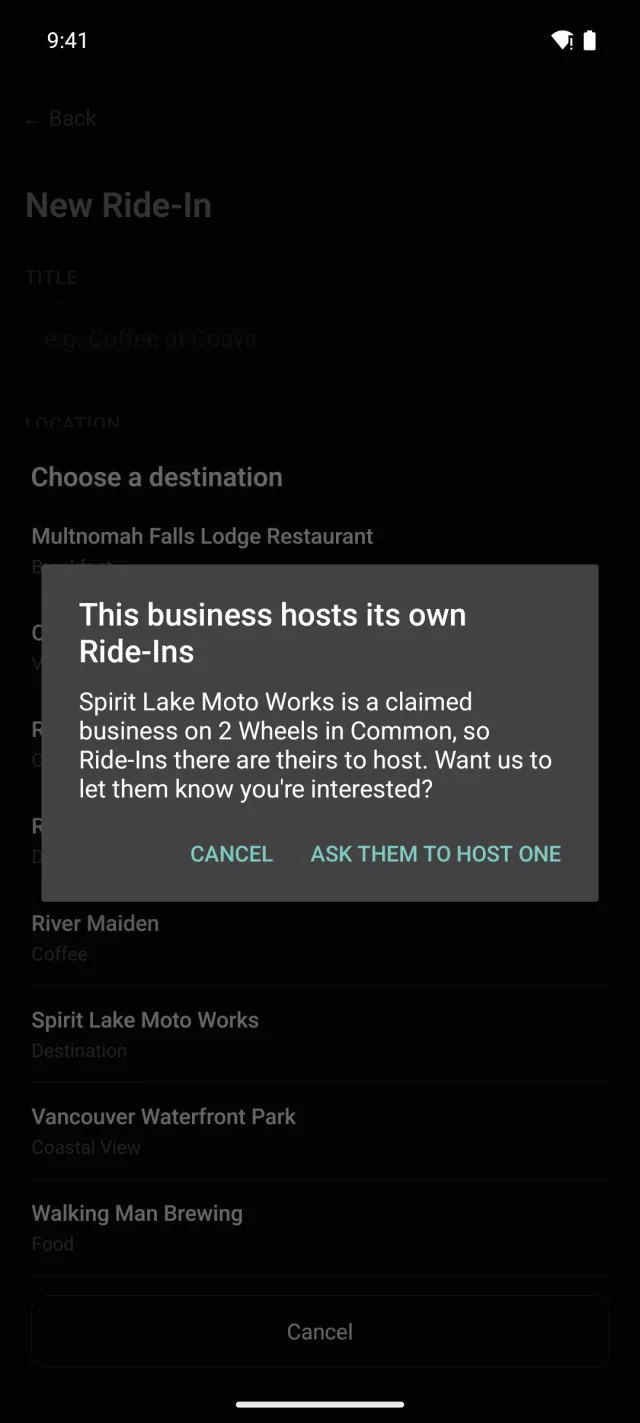
At a business that hosts its own, the app won't set a rider's Ride-In. Businesses that have claimed their listing run their own, so the app offers to ask them to host one instead. The business sees how many riders have asked.
Rider Ride-Ins and Business Ride-Ins
Every Ride-In works the same way for the riders who join it. What differs is who creates it and what the creator gets.
| Feature | Rider Ride-In | Business Ride-In |
|---|---|---|
| Who creates it | A rider with Pro, or a Group admin for their Group | A claimed business on the Pro Business Listing |
| How many | One per calendar month | No cap |
| Where | Any destination or meet point, except a claimed business that hosts its own | The business itself, or anywhere it chooses |
| Branding | None | "Hosted by" the business, its own cover photo, on its Business page, with priority placement |
| Interest | Anonymous "I'm in" count | Anonymous "I'm in" count |
| Leads | None | Only riders who opt in, through the web form or the in-app switch (off by default). Exportable from Scrambler |
| Stats | None | Per-event stats in Scrambler |
| Public page lasts | 7 days after the window | 90 days after the window |
For businesses
A business on the Pro Business Listing hosts Ride-Ins from Scrambler, its dashboard. There's no monthly cap. Each Ride-In shows "Hosted by" your business, appears on your Business page, and gets priority placement.
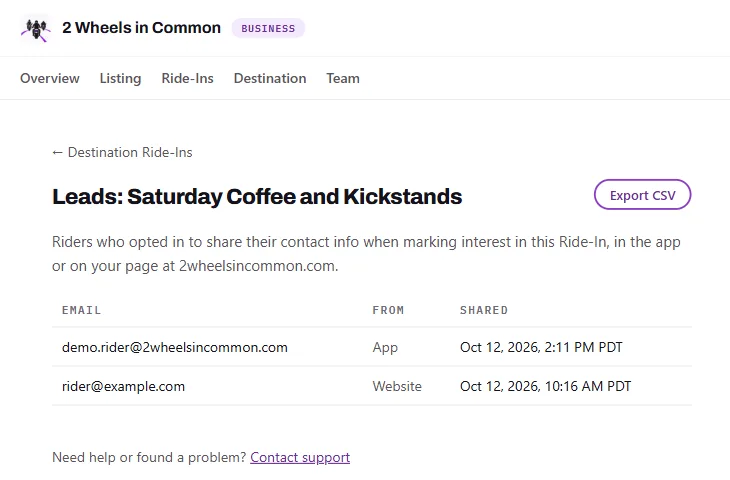
Leads come only from riders who opt in. Tapping "I'm in" never creates a lead. A rider becomes a lead only by switching on contact sharing in the app or by submitting the form on your Business page, and Scrambler shows which of the two each lead came from. Expect fewer leads than "I'm in" taps: that gap is riders deciding, which is the point. Leads export from Scrambler as a CSV.
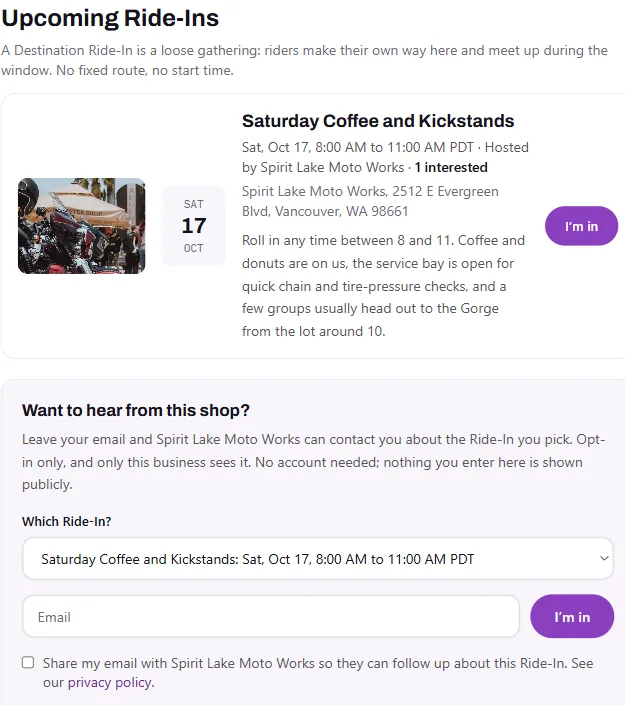
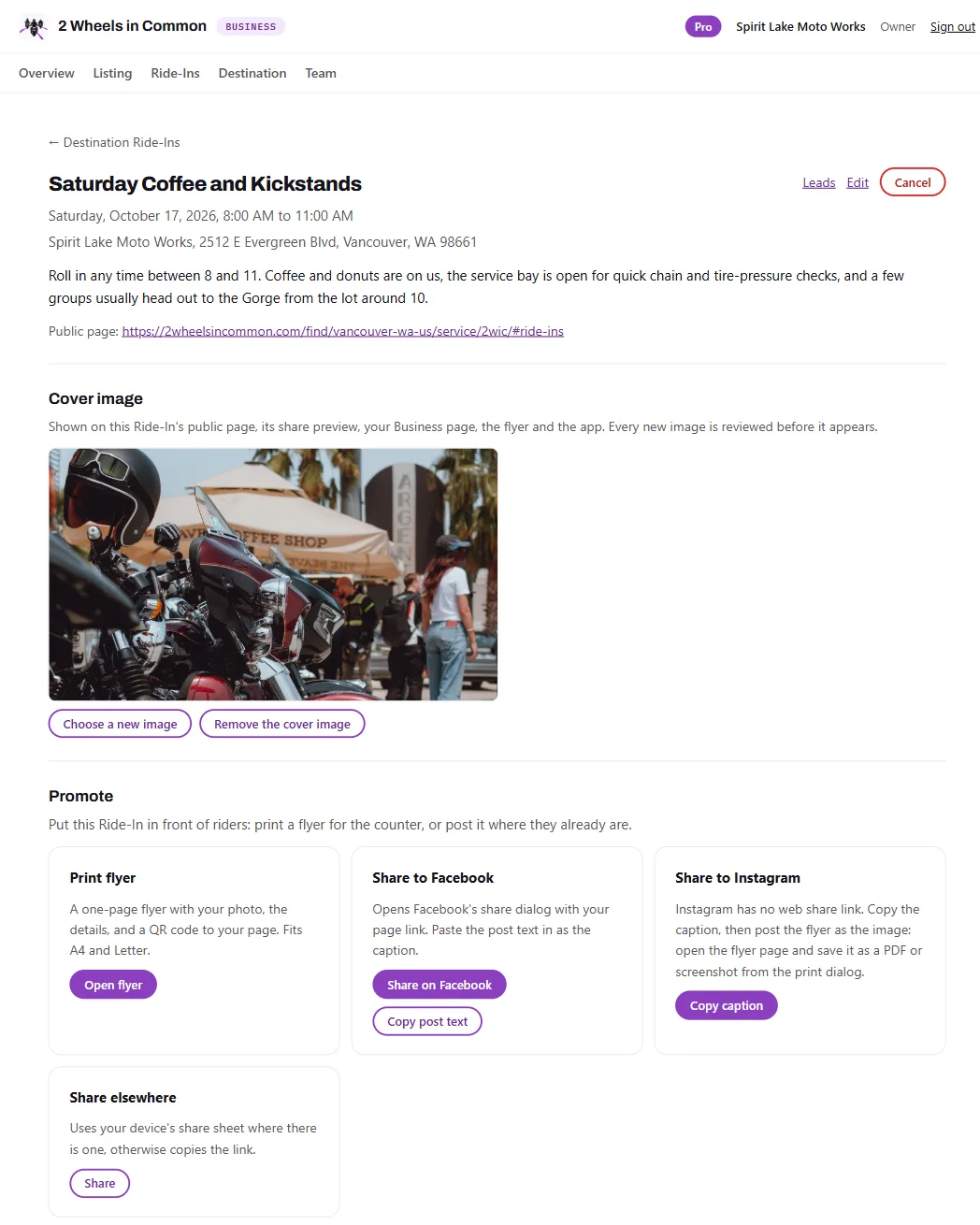
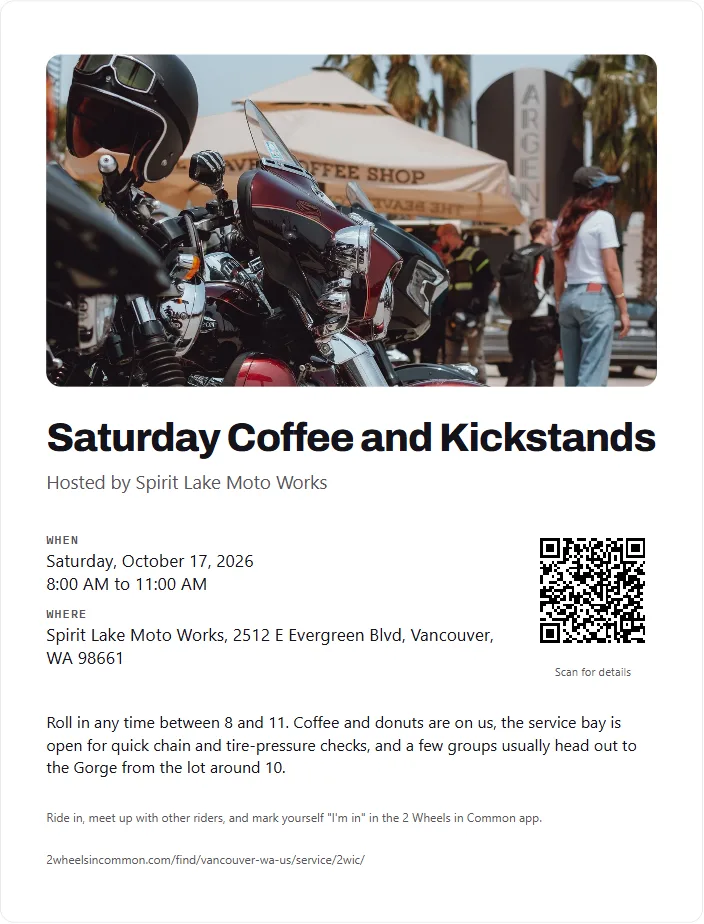
Give each Ride-In its own cover photo. Upload one in Scrambler and, once it's reviewed, it leads the Ride-In's web page and its link preview, its card on your Business page, the flyer, and the Ride-In in the app. Without one, your first listing photo stands in.
Scrambler also gives each Ride-In a printable flyer with a QR code, share buttons, and ready-to-paste captions, plus per-event stats. And when riders ask you to host one, Scrambler counts the requests, even before you upgrade, so you can see the demand first.
Examples
A Group coffee run
A riding club's admin sets a Ride-In at a favorite cafe, 8 to 10 on a Sunday. Members roll in when they are ready, and whoever is there at 10 heads out together.
A shop's Saturday open house
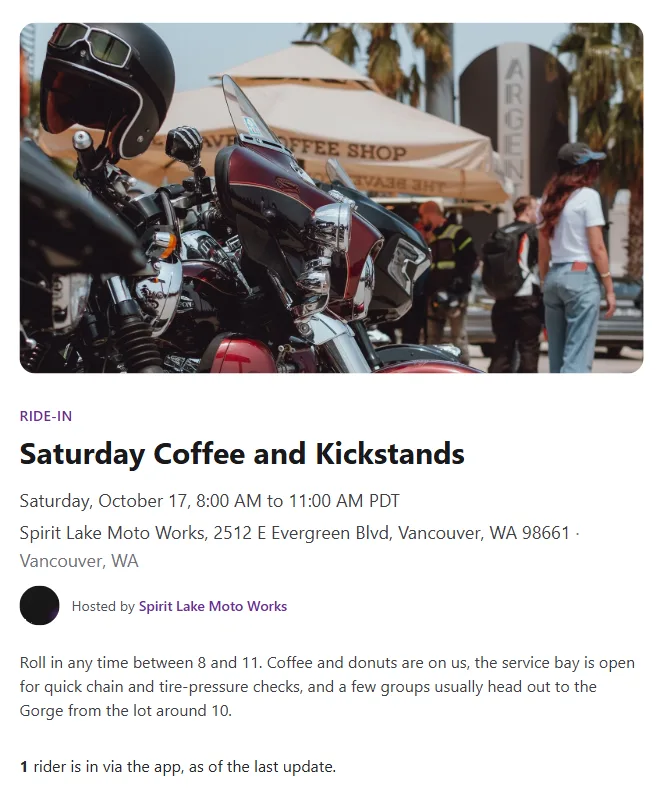
A Pro shop hosts "Coffee and Kickstands" from Scrambler, 8 to 11. It shows on the shop's page, riders who want to hear from the shop opt in, and the shop exports those leads on Monday.
A viewpoint at sunset
A rider drops a Ride-In at an overlook for the hour before sunset and shares the link. Nobody plans a route, and everyone who turns up gets the same view.
Sharing a Ride-In
Every Ride-In gets its own web page, so a link works for anyone, app or not. The page shows the place, the window in local time, who is hosting, and how many riders are in. A rider's Ride-In page stays up until 7 days after its window ends; a business's stays up for 90 days.
Questions
- What is a motorcycle Ride-In?
- A Ride-In is a bike meet you can post from your phone: a destination plus a time window. Riders make their own way there and arrive any time inside the window. There is no route to follow and no set start time, which is what makes it different from a scheduled group ride.
- How is a Ride-In different from a bike meet?
- It is a bike meet with a window instead of a start time, and a link instead of a flyer on a shop counter. Riders nearby see it in the app, anyone can open the link without the app, and the host sees how many riders are in.
- Does joining a Ride-In cost anything?
- No. Joining a Ride-In and tapping "I'm in" are free for every rider. Creating one takes Pro.
- Does tapping "I'm in" share my details with anyone?
- No. "I'm in" adds you to an anonymous count. Your name and email reach a business only if you switch on "Share my contact info" in the app, which is off by default, or tick the box and submit the form on the business's web page. Both are only offered on Ride-Ins a business hosts.
- Who can see who is going?
- Nobody, publicly. A Ride-In's web page shows how many riders are in, never who they are.
- How many Ride-Ins can a rider create?
- A rider with Pro can create one Ride-In per calendar month. A Group admin can create one for their Group, and it counts as that admin's Ride-In for the month.
- Why can't I set a Ride-In at some businesses?
- A business that has claimed its listing hosts its own Ride-Ins. When you pick one, the app offers to ask them to host one instead, and the business sees how many riders have asked.
- What does a business get from hosting a Ride-In?
- A Business Ride-In carries "Hosted by" branding and its own cover photo, appears on the business's own page with priority placement, and comes with leads from riders who choose to share their contact details, plus a flyer and per-event stats in Scrambler. Hosting takes the Pro Business Listing.
- How long does a Ride-In's link keep working?
- A rider's Ride-In page stays up until 7 days after its window ends. A business's stays up until 90 days after.
Find a Ride-In near you, or start one.