
Ride planning
How to Schedule a Group Ride
To schedule a motorcycle group ride, pick a date and time, choose a public meeting point, attach a route, and let riders RSVP so you know who is actually coming, then keep everyone updated if any of it changes.
That is the short version. Getting a dozen riders to the same place at the same time, on the same route, is where most group rides actually fall apart. Here is how to do it without a group chat spiraling into forty unread messages the morning of.
Set a meet point and time
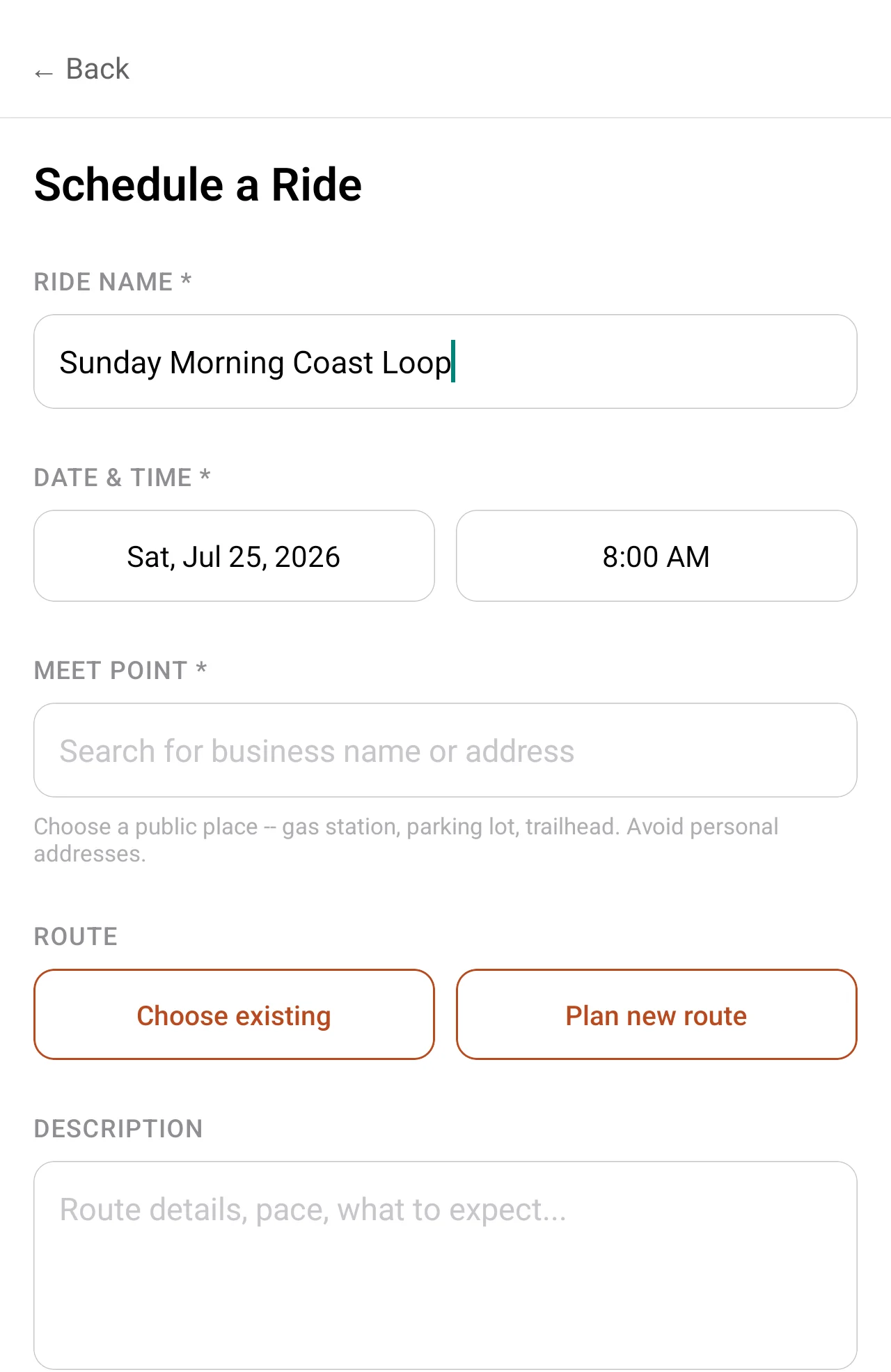
Start with a time that gives riders real notice: a Sunday morning ride announced on Saturday night will always lose people who had other plans. Once the time is set, pick the meeting point. A public spot (a gas station, a parking lot, a trailhead) works better than a private address, especially for a group that includes riders you have not met in person yet. Showing up at someone's house is a different ask than showing up to a gas station off the highway.
2 Wheels in Common nudges toward public meeting spots automatically. If you select a meeting point that looks like a private residence rather than a business, the app flags it with an advisory and suggests a public alternative. It is advisory, not a hard block: you can dismiss it and proceed if you know what you are doing, but it catches the mistake before a stranger ends up at your front door.
Pick a route
A ride needs a route riders can commit to before they show up, not one improvised at the gas pump. You can attach an existing route (something already planned and recorded) or plan a new one with turn-by-turn directions inside the app. Either way, riders see the roads and any planned stops before they RSVP, so nobody signs up for a 200-mile day expecting a 40-mile loop to the coast.
Open it up for RSVPs
Once the meeting point, time, and route are set, the ride needs an RSVP list. A group chat thread full of "I might come" is not a headcount. The RSVP system in 2 Wheels in Common gives you an actual list of who is going, so you know how many riders to expect at the meeting point instead of guessing.
Communicate changes to attendees
Plans change. Weather rolls in, a road closes, the meeting point needs to move. The part that usually breaks a group ride is not the change itself: it is half the group finding out and half the group not. In 2 Wheels in Common, editing any ride detail after riders have RSVP'd automatically notifies everyone going. Nobody is left checking a group chat that already moved on to a different topic.
How 2 Wheels in Common supports it
Scheduling a ride in the app gives it a dedicated space instead of burying the details in a chat thread: a route, a date and time, a meeting point, and an attendee list, all in one place. Search for the meeting point by business name rather than dropping a pin blind. Once it is posted, the RSVP list tells you who is actually coming, and any edit you make after that automatically notifies the riders who RSVP'd.
If you are starting from scratch rather than adding to an existing group, creating a riding group first gives your rides a home and a recurring set of riders to schedule with, instead of starting the RSVP list at zero every time.
Ready to schedule your first ride?
Get the app